Rotate your secret key
Rotating your secret key means replacing it with a new one. Do it on a regular schedule, whenever someone who had access to the key leaves, and right away if you think the key leaked.
When you rotate, you choose how long the old key keeps working. That gives you time to deploy the new key to your servers before the old one stops, so your integration has no downtime.
Rotation applies to the secret key only. Regenerating a publishable key replaces it immediately.
Rotate the key
-
Log in to the Moyasar Dashboard.
-
Open Settings, then the API Keys tab.
-
Next to the secret key of the environment you want, click Regenerate Key.
-
Under Keep the old secret key working for, choose how long the old key keeps working:
Option When to use it Stop it immediately The old key leaked, or no server uses it yet. This is the default. 1 hour You can deploy the new key to all your servers within the hour. 24 hours You deploy once a day, or need time to reach several servers. 7 days You have many servers, or deploys go through a longer release. 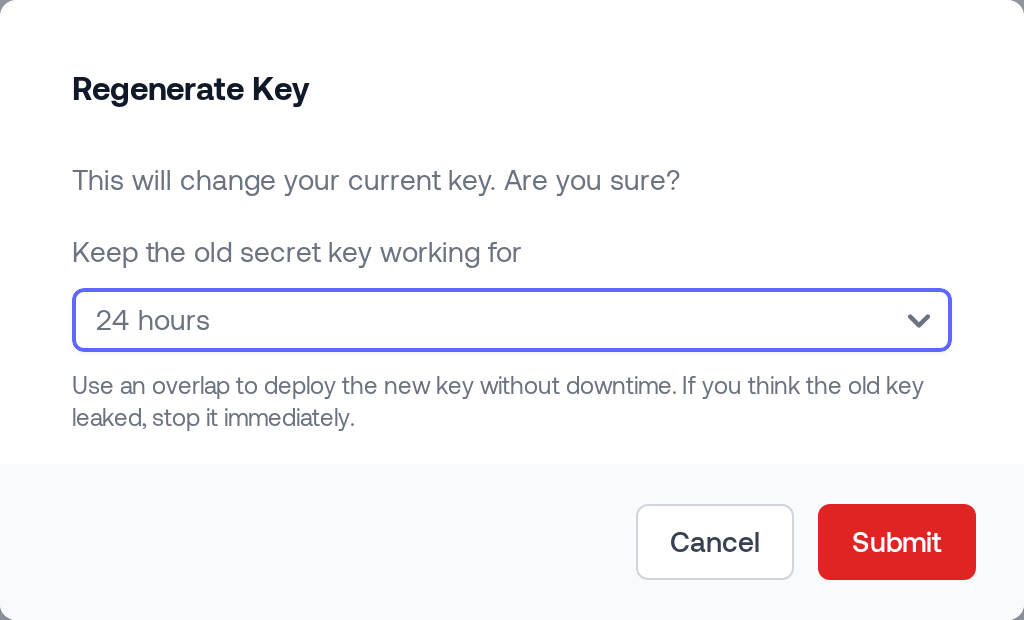
-
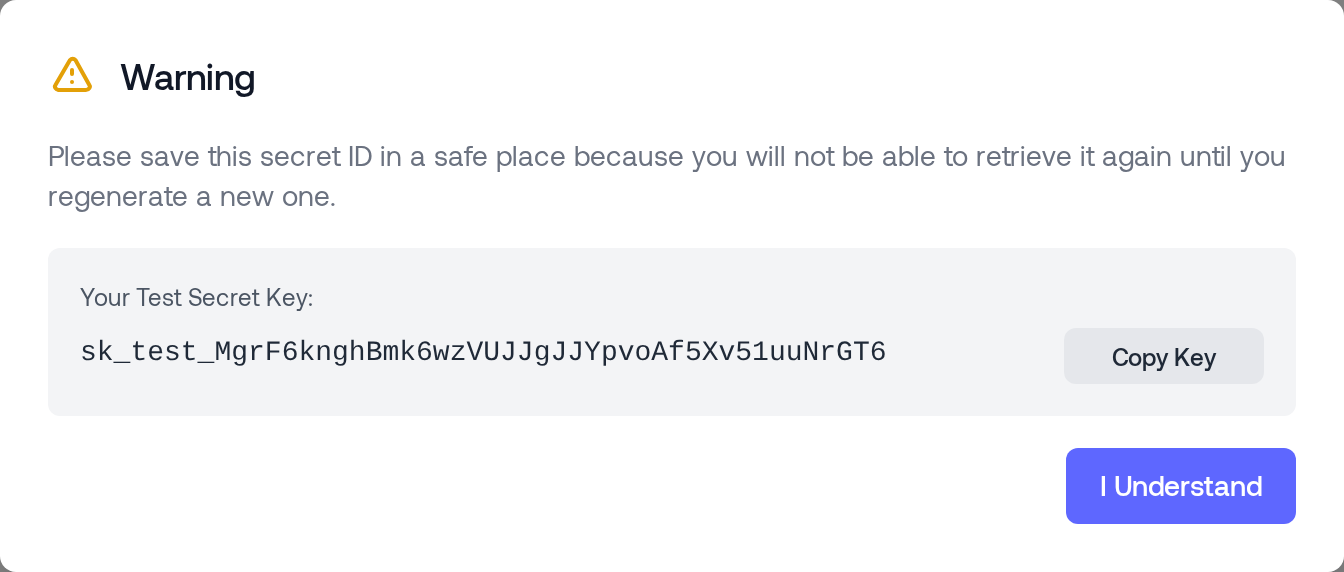
Click Submit. The new secret key is shown once. Copy it and store it in a safe place before you click I Understand. You cannot view it again, only its ID.
Choose Stop it immediately. Any overlap keeps the leaked key working for that long.
You need permission to manage API keys to rotate a key. The live secret key cannot be rotated until you add your Allowed IPs.
While both keys work
If you chose an overlap, the API Keys page shows an Old key still active notice with the old key's ID and the time it stops working, in Riyadh time.
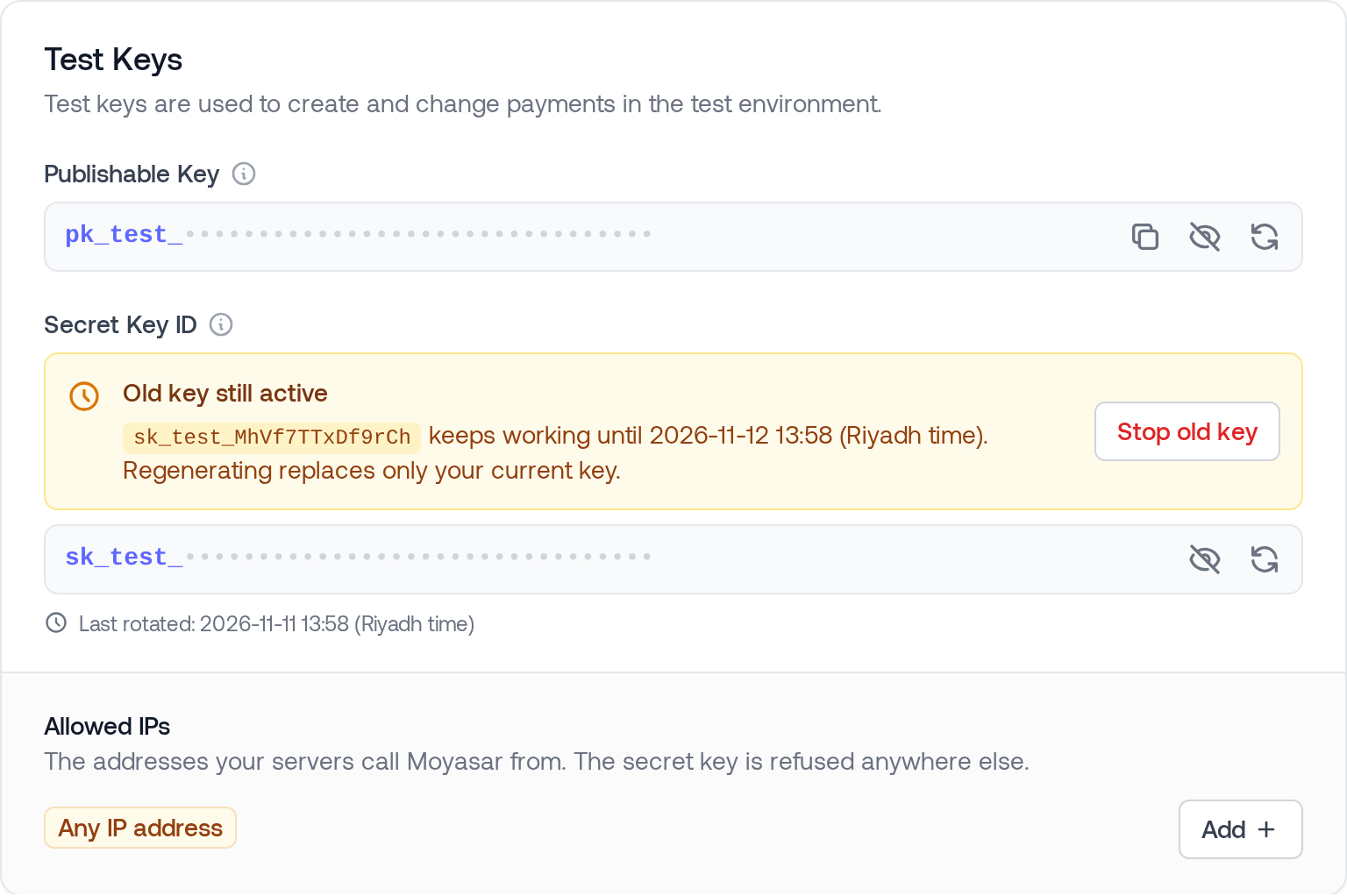
During the overlap:
- Both the new key and the old key are accepted.
- The old key follows the same rules as the new one, including your Allowed IPs.
- When the overlap ends, the old key stops working on its own. A request with it is refused with
401 Unauthorized.
Use this time to:
- Update the secret key on every server, worker and scheduled job that calls the Moyasar API.
- Deploy, and check that requests succeed with the new key.
- Stop the old key early, as described below, once nothing uses it.
Stop the old key early
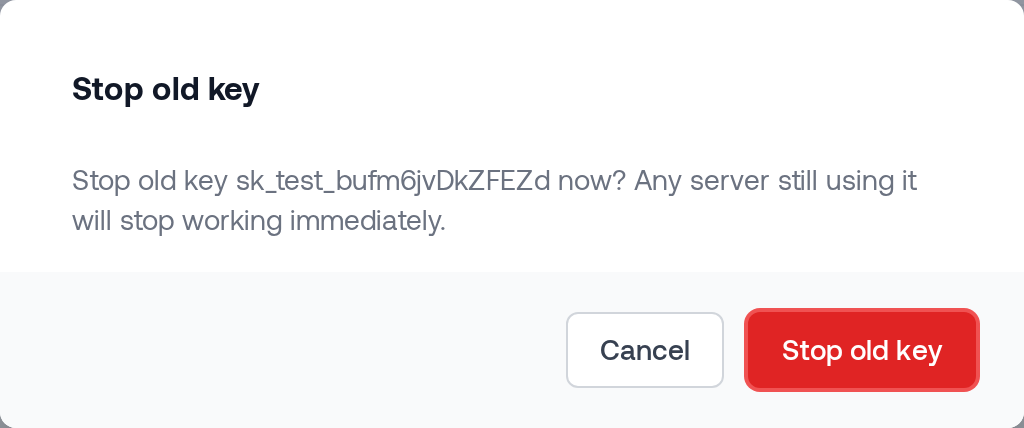
- On the Old key still active notice, click Stop old key.
- Click Stop old key again to confirm. Any server still using the old key stops working immediately.
Regenerate again during an overlap
If you did not copy the new key, you can regenerate it while the old key is still active. The dialog then shows Replace current key:
- The current key, the one you just created, stops working immediately and is replaced by a new one.
- The old key is not affected. It keeps working until its original stop time.
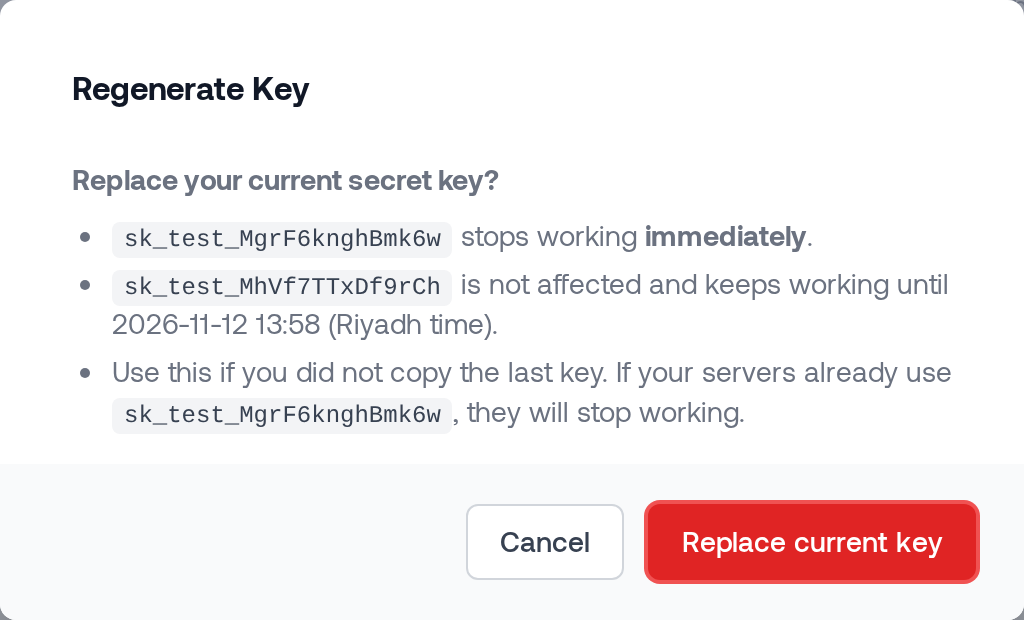
This protects the key your servers still run on. If your servers already use the current key, replacing it breaks them, so only do this when the current key is not in use yet.
You cannot pick a new overlap while an old key is still active.
Last rotated
Under each secret key, the API Keys page shows when it was last rotated, in Riyadh time, or Never rotated. Use it to keep track of your rotation schedule.
Email notifications
For the live secret key, every admin on your account gets an email:
- When the key is rotated. If you chose an overlap, the email names the old key and the time it stops working.
- When the old key is stopped early.